
World Map Quiz
Qbis StudioTrivia
4.71.17K Reviews
- Version
- 3.38.1
- Installs
- 5.00M
- Age Rating
- Everyone
Screenshots
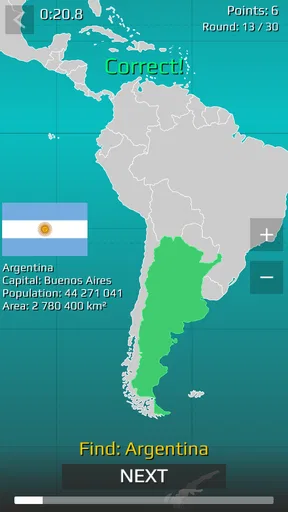
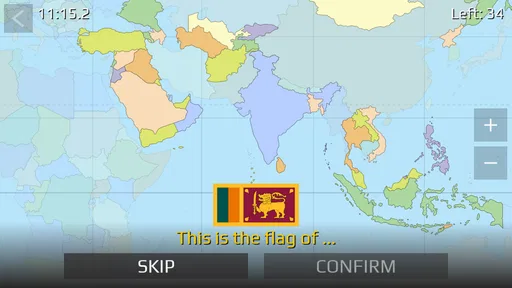
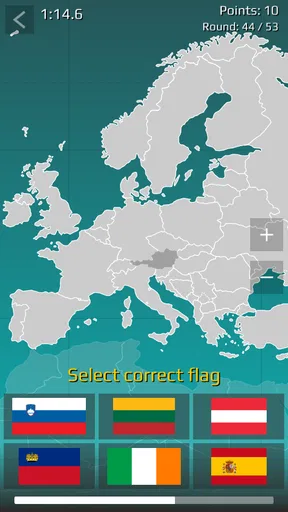
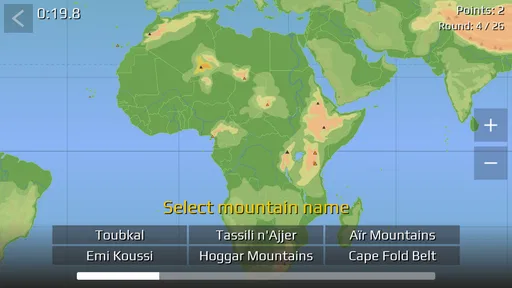
Our Review of World Map Quiz
 Analysis by Appyee
I like geography games best when they turn a vague “I should know this” into a useful habit, rather than making me read a long lesson before I can begin. World Map Quiz takes that direct approach: it puts places and map recognition at the center, so I can test what I remember in a short session and notice which parts of the world still trip me up. It is a trivia game from Qbis Studio, and its appeal is simple: practice locating countries without needing to plan a study session around it.
Where this map quiz fits today
For someone who wants a quick geography refresher, the format is easy to understand. I can open the game, look at a map prompt, and try to identify the place instead of scrolling through a list of facts. That makes it a good fit for a few minutes between other tasks, or for a casual challenge with a family member who enjoys quizzes. It is free to download, rated for Everyone, and has a 4.8 average from around 61,000 ratings, which gives a new player a useful sense of its broad reception without telling them whether its style will suit them personally.
The key distinction is that this is about spatial recall, not just memorizing country names. Knowing that a country exists is different from recognizing its shape or remembering where it sits beside its neighbors. A map quiz makes that gap visible. I find that useful because it gives practice a clear target: if I keep confusing nearby countries, I can focus on their relative positions rather than rereading a general geography summary.
How a short session can become useful practice
A realistic way to use the game is to play a brief round while waiting for a meal or during a quiet break, then pay attention to the mistakes rather than only the score. When I get a location wrong, I try to place it again mentally in relation to the surrounding region. That extra step is more valuable than tapping through the answer and moving on. It turns a quick quiz into a small retrieval exercise, which is especially helpful for places I recognize by name but cannot locate confidently.
For a parent or teacher, the same approach can make a casual group activity more interesting: one person answers, and another explains where the place is in relation to a familiar country or coastline. The game supplies the prompt, while the conversation supplies context. I would not treat it as a complete geography course, but it can be a lively starting point for curiosity about borders, regions, and how the world fits together.
What the version history does—and does not—tell me
The game was released on July 22, 2015, and its current version is 3.34.2. That is evidence of a product that has continued to receive version updates over time, but it is not a reason to assume that every part of the experience has changed recently or that a particular new feature arrived in the latest release. I prefer to separate that concrete history from guesses about what the developers may have added. What matters to a new player is whether the current build gives them a clear, usable way to practice map knowledge.
For existing players, version changes are most useful when they address the parts of a quiz that affect everyday play: clarity of map prompts, smooth navigation, or the reliability of answers. I would watch for those practical effects rather than expecting a version number alone to signal a major redesign. If you already know the game, it makes sense to check the current build after updating and see whether your usual sessions feel different; if you are new, the version number is background context, not a feature you need to learn.
Who will enjoy it, and who may want something else
This is strongest for curious beginners, students who want extra recall practice, and trivia fans who like maps more than a stream of unrelated questions. It also suits people who prefer to learn through trying and correcting themselves. If you already have strong geographic knowledge, a basic country-location challenge may feel more like repetition than discovery; in that case, a specialist atlas, a more advanced geography resource, or a quiz focused on deeper regional facts may be a better match.
It is also worth being realistic about what a map quiz can teach. Recognizing a country on a screen does not automatically teach its history, language, culture, or political context. I would use the game to build a mental outline of where places are, then follow up elsewhere when a particular location sparks a question. That division of labor keeps the quiz enjoyable while avoiding the expectation that one small game can replace a broader learning resource.
Getting Started
When I first downloaded World Map Quiz, I was immediately struck by its straightforward and user-friendly interface. The app welcomes you with a bright map of the world, and without wasting any time, you’re ready to dive into learning. No lengthy tutorials or complicated setups—just pure geographical fun from the get-go.
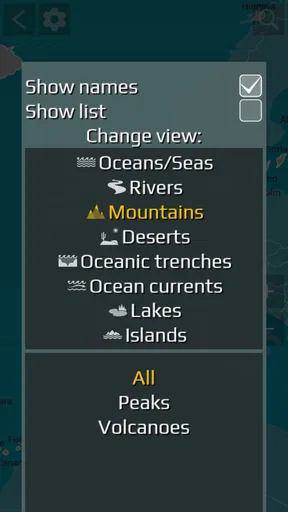
Once you open the app, the main menu offers several options to choose from. Whether you want to test your knowledge of continents, countries, or even capitals, you'll find it all here. I was particularly impressed by the breadth of content available; it covers everything from major countries to lesser-known territories and islands.
The Learning Experience
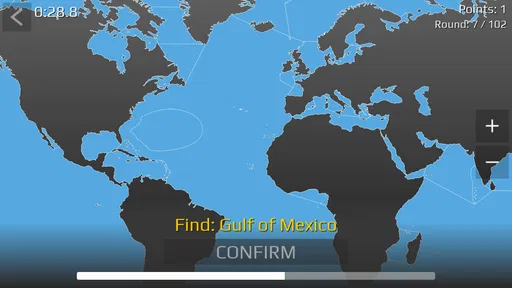
Now, let’s talk about the gameplay. It’s as simple as it gets: the app shows you a map with highlighted areas, and you need to name them. What makes it engaging is the variety of modes. You can challenge yourself in a timed mode, where you need to name as many places as you can before the clock runs out, or take it slow in the practice mode to hone your skills.
As I played, I found myself getting increasingly competitive with each round, trying to beat my previous score. The app provides instant feedback, letting you know when you’re right or wrong. This immediate response helps reinforce learning, and trust me, you’ll remember a country’s name after you’ve missed it a couple of times!
Features Worth Highlighting
One feature that stands out is the app’s ability to adjust difficulty levels. Whether you’re a geography novice or a seasoned pro, there’s a challenge for everyone. I started on a beginner level, but soon found myself wanting more, so I cranked up the difficulty. It’s a great motivator to keep improving.
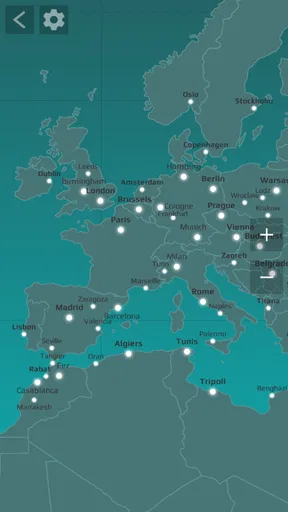
Another nifty feature is the detailed information provided for each location. If you want to learn more about a place after identifying it, the app offers an option to dive deeper with additional facts. It’s like having a mini encyclopedia at your fingertips.
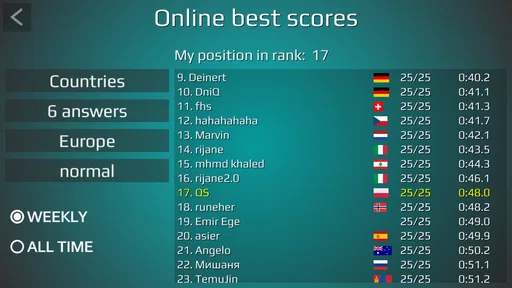
And let’s not overlook the social aspect. You can share your scores with friends and even challenge them to beat your high score. It’s a fun way to engage with others and maybe even spark a little friendly rivalry.
Design and Usability
The app’s design is clean and intuitive, making it easy to navigate through the different sections. The graphics are crisp, and the colors are vibrant, which makes the learning experience visually enjoyable. It’s clear that a lot of thought went into the user experience, ensuring that everything is accessible and smooth.
I also appreciated the app's performance. Throughout my time using it, I didn’t encounter any bugs or crashes, which is always a plus. It runs seamlessly, and transitions between screens are quick and fluid.
Small decisions that improve a session
One practical tip is to separate recognition from recall. If a prompt feels familiar, I try not to settle for “I’ve seen that shape before”; I name the place and then picture its neighbors. The distinction matters because a country can look familiar without being firmly located in memory. Repeating that mental placement after a miss gives the next round more learning value than simply racing for a faster score.
I also think it helps to change the goal depending on the day. When I have only a minute, a timed round can make the game feel energetic. When I want to learn, I would choose a slower practice session and pause on difficult answers. Treating every session as a high-score attempt can make a mistake feel like a setback; treating it as a clue about what to review keeps the game useful even when the score is modest.
How it compares with other ways to learn geography
Compared with a conventional atlas, this game is more active and less suited to browsing. An atlas lets me follow a border, compare regions, and build context at my own pace, while a quiz asks me to retrieve an answer under a prompt. Compared with general trivia apps, its focus is narrower, which is an advantage if map knowledge is the specific skill I want to improve and a limitation if I want questions across many subjects.
For me, the strongest combination is to use the quiz for recall and a map or reference source for explanation. If I repeatedly miss a place, I can look at the surrounding geography afterward instead of expecting a quick answer screen to provide all the context I need. That workflow turns the game into a useful companion to study rather than a replacement for every other geography tool.
Costs, compatibility, and expectations
The game is free, with optional in-app purchases priced from $1.99 to $12.99 per item. I would start with the free experience and decide whether I actually want anything beyond it before spending. The existence of purchases does not by itself tell me which option is worthwhile, so I would read each purchase description carefully and avoid buying something simply because I am enjoying a few rounds.
It requires Android 6.0 or later. That gives Android users a straightforward compatibility check before installing, especially if they are setting it up on an older device. The Everyone age rating also makes it an approachable choice for shared play, though I would still tailor the difficulty and pace to whoever is answering. The game has passed five million installs, but popularity is not a guarantee that its map style or level of challenge will suit every player.
Where the limits matter
The biggest trade-off is the narrowness that makes the game focused. It can help with identifying places, but a player looking for a guided curriculum, detailed cultural lessons, or explanations of current events should use a different resource alongside it. Likewise, anyone who dislikes timed challenges may prefer to spend more time in practice rather than judging the whole game by its fastest mode.
Another useful caution is not to confuse a strong score with complete understanding. A familiar map prompt can become easy through repetition, while a different kind of question may still expose gaps. I would treat improvement as a sign that location recall is getting stronger, not as proof that I have mastered every aspect of geography. That is a modest expectation, but it makes the app more satisfying and keeps learning honest.
What I would keep an eye on
With 3.34.2 as the current version, I would judge future changes by whether they make the core map practice clearer, more reliable, or more comfortable to use. I would not assume that a later update will add a particular mode or subject; instead, existing players can notice whether navigation, prompts, and the rhythm of a round remain dependable. New players can simply begin with the style of quiz that suits their attention and build from there.
The game has 1,100 reviews alongside its much larger rating pool, and I see that as a reminder to weigh detailed player experiences as well as a headline average. When choosing whether to keep using it, I would ask a practical question: am I getting better at placing countries, or am I only repeating familiar rounds? If sessions keep revealing a new gap to work on, the game is doing its job for me.
Final Thoughts
All in all, World Map Quiz is a fantastic app for anyone looking to brush up on their geography skills. It's engaging, educational, and incredibly easy to use. Whether you're a student, a trivia enthusiast, or just someone looking to learn something new, this app has something for everyone.
So, if you’re ready to embark on a virtual journey around the world, give World Map Quiz a try. It's the perfect way to travel the globe without leaving your home. Happy exploring!
Privacy and Permissions
See what permissions an app requests and how it handles your data.
- Other
- view network connections, full network access, prevent device from sleeping
Verdict
Strengths of World Map Quiz
- Engaging and educational gameplay.
- Wide variety of maps and regions.
- Improves geographical knowledge.
- Suitable for all age groups.
- Offline play available.
Limitations of World Map Quiz
- Ads can be intrusive.
- Limited customization options.
- Some maps are outdated.
- Occasional app crashes.
- In-app purchases for hints.
Other Releases by Qbis Studio
View All
USA Quiz
Trivia4.8
Similar Picks in This Category
View All
Millionaire 2026 Quiz & Trivia
Quiz & Trivia Games by Submarine Apps4.5

Brain Test 2: Tricky Stories
Unico Studio4.7

Trivia Crack: Brain Quiz Games
etermax4.4

QuizzLand. Quiz & Trivia game
Quiz & Trivia Games by Mno Go Apps4.8

Brain Test: Tricky Puzzles
Unico Studio4.7

Logo Quiz
bubble quiz games4.5
Frequently Asked Questions
What is World Map Quiz and how does it work?
World Map Quiz is an educational app that helps users learn about geography through interactive quizzes. It challenges players to identify countries, capitals, and other geographical features on a map. The app includes various levels of difficulty, allowing users to progress as they improve their geographical knowledge.
Is World Map Quiz suitable for all ages?
Yes, World Map Quiz is designed for users of all ages. It offers different difficulty levels, making it accessible for young learners as well as adults. The app's intuitive design and engaging quizzes make it an excellent educational tool for families and classrooms alike.
Does World Map Quiz require an internet connection to play?
World Map Quiz can be played offline, allowing users to enjoy the app without an internet connection. However, an internet connection is needed for initial download and for accessing any updates or additional content that may be available in the future.
Are there any in-app purchases or ads in World Map Quiz?
World Map Quiz offers a free version supported by ads. Users have the option to remove ads by making an in-app purchase. Additionally, there may be optional content packs available for purchase to enhance the learning experience with more detailed quizzes and features.
How can I track my progress in World Map Quiz?
World Map Quiz includes a progression system that tracks your scores and achievements. Users can view their progress over time and see improvements in their geographical knowledge. The app may also offer leaderboards or achievements to motivate users to keep learning and challenging themselves.
Play our best games!


